
Trusted Traveler Programs
U.S. Customs and Border ProtectionTravel & Local
4.651.00 Reviews
- Version
- 1.19.0
- Installs
- 100.00K
- Age Rating
- Everyone
Screenshots
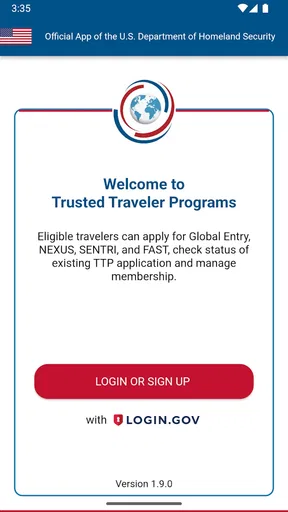
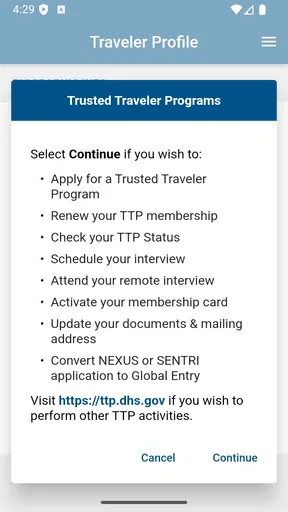
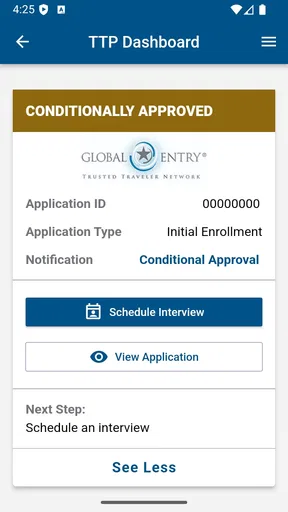
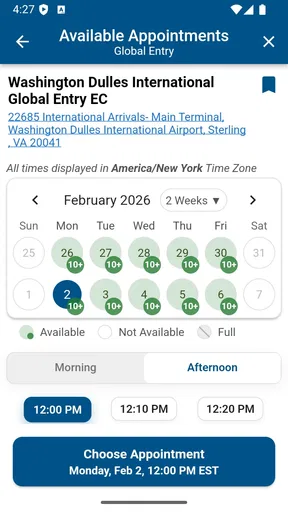
Our Review of Trusted Traveler Programs
 Analysis by Appyee
When travel paperwork is spread across email threads, browser tabs, and separate government pages, it is easy for one person in a household to lose track of what has been submitted and what still needs attention. Trusted Traveler Programs is designed for that specific administrative problem: it lets me apply for and manage membership in Trusted Traveler Programs from a mobile device. I see it as a practical travel companion rather than a general trip-planning app, and that distinction matters from the first tap.
Developed by U.S. Customs and Border Protection, this free Travel & Local app focuses on a narrow but important part of international and domestic travel preparation. Its store summary is short, but the useful question is not whether it can plan a holiday; it is whether it gives me a more convenient place to handle Trusted Traveler Program tasks. For that purpose, the app has a clear role, especially when I am managing my own application while coordinating travel with a partner or other household members.
How it fits into a shared household travel routine
The most realistic household use is not handing one phone around at the airport. It is using the app as each traveler’s own administrative workspace before a trip. For example, one person may be arranging flights while another is responsible for keeping an eye on Trusted Traveler Program membership. The app gives the second person a mobile route into that task instead of forcing the whole household to rely on one person’s browser history or inbox.
I would still treat every traveler as an individual case. A household may travel together, but membership applications and personal identity details belong to the person applying. That means the app is useful for coordination, not for turning several travelers into one combined application. The practical benefit is that everyone can agree on what needs to be done while keeping personal information attached to the correct traveler.
This boundary is easy to overlook when a family is rushing before a holiday. A parent might naturally want to complete everything from one device, but I would pause before entering another adult’s information into an account or workflow intended for that person. The safer routine is to let each applicant handle their own details, then coordinate the overall travel checklist separately. That approach reduces the chance of mixing identities, contact details, or application progress.
The app works best as a personal government-service tool that supports household planning, not as a shared family dashboard. That is one of the most important expectations to set before installing it. If I want a single place to compare flights, store everyone’s itinerary, and assign tasks, this is not the right category of app. If I want to manage my own Trusted Traveler Program membership while discussing the wider trip with my household, the focused design makes more sense.
What I would do before starting an application
I would begin by deciding whose application I am handling and making sure I am using the correct person’s device session or account context. On a shared tablet or family phone, that small step matters. A travel app can feel harmless to pass around, but an application connected with identity and border processing deserves more care than a restaurant booking.
I would also gather the information needed for the applicant before opening the process. The app is not a substitute for remembering personal history or checking official records. Preparing first makes the mobile workflow less frustrating, particularly if the application requires details that are not immediately available. I prefer to complete administrative forms when I have time to review each answer, rather than squeezing them into a taxi ride or an airport queue.
Another useful habit is to separate “application work” from “trip coordination.” I might use a household calendar or a shared note to remind everyone that an application has been started, but I would avoid copying sensitive personal information into that shared space. The app can handle the official task; a less sensitive household reminder can handle the coordination.
Account boundaries matter more than convenience
For a single traveler, the main advantage is straightforward access from a phone. For a household, the important issue is ownership. The person whose membership is being applied for or managed should remain clearly identifiable throughout the process. That is especially relevant when several people use the same Android or iOS device and one person’s session could be mistaken for another’s.
I would not assume that a spouse, parent, or travel companion should automatically manage another adult’s application. Convenience is not the same as authorization. If someone needs help, the better approach is to sit together and let the applicant review the information and take responsibility for the submission. This also makes later updates easier to understand because the member knows what was entered and why.
Shared-device use also calls for a simple closing routine. After finishing, I would review what screen I am on, avoid leaving personal details visible, and make sure the next household user is not likely to continue in the wrong account context. I am not treating this as a dramatic security procedure; it is just sensible digital hygiene for a service connected to travel identity.
The app’s Everyone content rating makes it suitable in an age-rating sense for a broad audience, but that should not be confused with independent use by every age group. A child may be traveling with a family, yet an adult should decide who is responsible for the application, verify the information, and supervise any account activity that involves personal identity. The rating describes audience suitability, not a promise that the workflow is designed as a children’s tool.
Coordinating applications without mixing personal details
Households often want a simple answer to a simple question: who has finished? I would handle that with a shared checklist containing only names or initials and a general status such as “to do,” “in progress,” or “reviewed.” I would not place application numbers, identity details, or other sensitive material in a group chat merely to make coordination easier.
This approach is valuable when several travelers are preparing at different times. One adult may complete their own work during a lunch break, while another may need a quiet evening to gather information. A shared reminder keeps the trip moving without encouraging one person to take over every application. It also makes it easier to spot a practical issue early: if one traveler has not started, the household can discuss it before the departure date becomes urgent.
I would use the app for the official side of the process and another trusted method for deadlines, packing, and itinerary details. That division prevents disappointment. Trusted Traveler Programs is not a replacement for airline apps, passport storage, flight alerts, or a family calendar. Its strength comes from doing one administrative job rather than trying to become the household’s complete travel command center.
There is also a useful trade-off here. A narrow app can be easier to understand because it does not bury membership management beneath hotel offers and destination content. On the other hand, I cannot expect it to show the whole state of a family trip. If I need a broad travel organizer, a calendar or itinerary app will be better. I would use this app alongside those tools, not instead of them.
Where the mobile format helps, and where it slows me down
Using a phone is convenient when I need to check or manage membership away from a desk. I can handle the task while traveling between appointments, provided I have enough time and a reliable connection. The mobile format also keeps the process close to the device I already carry when preparing for a trip.
However, administrative forms are not always pleasant on a small screen. Reviewing names, dates, addresses, and personal history on a phone can be slower than using a larger display, especially when several household members are involved. My preference would be to use a phone for checking progress or handling a focused task, and a larger screen when I need to carefully review a long application.
This is not a flaw unique to this app, but it affects whether the app is the right choice at a given moment. Someone who wants to complete complicated paperwork quickly on a crowded train may find the experience tiring. Someone who values the ability to manage a government travel service without opening a laptop will appreciate the convenience more.
The app is free, which removes a financial barrier for travelers who simply want mobile access to this process. That does not remove the need to plan time carefully. Free access is useful, but it cannot make an application instant or eliminate the responsibility of checking every personal answer before submitting it.
Who should use it, and who should choose another tool?
I would recommend it to travelers who are applying for or managing Trusted Traveler Program membership and prefer handling that work from an Android or iOS device. It is also a reasonable choice for households where each traveler wants to manage their own administrative task while coordinating the overall trip with others.
I would be more cautious about recommending it to someone looking for a complete travel planner. It is not the place I would expect to organize flights, hotels, shared itineraries, packing lists, or family reminders. A general travel app, airline application, or calendar will serve those needs better. The decision is simple: choose this app for Trusted Traveler Program management, and choose a broader travel tool for everything around it.
I would also skip relying on it as the only household coordination method if several people need a live overview of progress. A shared checklist remains more suitable for that. The app can support the process, but it should not be forced into a role it was not built to fill.
Its audience response is encouraging: it holds a 4.6 average from around 439 ratings, with about 51 written reviews and over 100 thousand installs. Those figures suggest that many users find value in the focused service, although I would still judge it by my own travel needs rather than treating popularity as proof that it fits every household.
Version, device fit, and practical expectations
The current version is 1.19.0, and the app requires Android 9 or later. That makes checking the household’s older phones worthwhile before planning to use one shared device. If a family member has an older handset, the most convenient solution may be to use a newer household phone for the relevant task, while keeping the applicant involved in reviewing the information.
I would not install it at the last possible minute before leaving home. The better workflow is to install it while the trip is still being organized, confirm that the device meets the operating-system requirement, and give myself enough time to read each screen. This is especially important when one person is helping another, because rushed assistance can lead to skipped explanations or accidental confusion between accounts.
For a household, device compatibility is not just a technical detail. It can affect who ends up doing the work. If only one phone in the family supports the app, that phone may become the unofficial administrative station. In that situation, I would keep the applicant present and avoid treating the device owner as the owner of the application. The hardware can be shared; responsibility should remain clear.
The Everyone age rating also makes the app easy to consider for mixed-age households, but I would keep adult oversight for identity-related tasks. Teenagers who travel with family may be able to participate in preparation, yet an adult should decide how personal information is entered and managed. That is a sensible division between learning the process and controlling the account.
My household verdict after weighing the trade-offs
I like the app most when I think of it as a direct, focused route to Trusted Traveler Program administration. It avoids the distraction of unrelated travel planning and gives me a mobile option for a task that can otherwise become buried in browser tabs. For a traveler who wants to manage their own membership from a phone, that focus is the main reason to install it.
My reservation is equally clear: the app does not solve the broader coordination problems that appear when a household travels together. It will not replace a shared calendar, an itinerary organizer, or a conversation about who is responsible for each traveler’s paperwork. Trying to make it serve as a family control panel would create more confusion than convenience.
In my preferred routine, every adult applicant uses the app for their own Trusted Traveler Program work, the household keeps a simple non-sensitive checklist for coordination, and everyone reviews their own information before anything is submitted. A parent can help a younger traveler understand the steps, but should not casually blur account boundaries. A shared device can be practical, provided the person using it is clear and the session is handled carefully.
That makes this a good recommendation for a specific need rather than an automatic recommendation for every traveler. It is free, available to a broad age audience, and maintained by U.S. Customs and Border Protection, while its mobile focus suits people who want to manage membership away from a desktop. If your goal is a complete family travel organizer, choose another tool. If your goal is to keep Trusted Traveler Program administration accessible and separate from the rest of your trip, Trusted Traveler Programs is a sensible addition to the household travel routine.
Verdict
Strengths of Trusted Traveler Programs
- Speeds up airport screening for eligible frequent travelers.
- Offers access to dedicated lanes at participating airports.
- Can reduce stress during busy travel periods.
- Membership may include benefits for international trips.
- Application status and renewal can be managed online.
Limitations of Trusted Traveler Programs
- Enrollment requires an application, interview, and background check.
- Program coverage varies by airport, airline, and travel route.
- Membership fees may not be worthwhile for occasional travelers.
- Approval can take time, especially during high-demand periods.
- Travelers must keep personal information and documents up to date.
Other Releases by U.S. Customs and Border Protection
View All


Similar Picks in This Category
View All
Google Maps
Google LLC3.4

Google Maps Go
Google LLC4.1

Booking.com: Hotels & Travel
Booking.com Hotels & Vacation Rentals4.8

Google Earth
Google LLC3.8

Skyscanner Flights Hotels Cars
Skyscanner Ltd4.8

trivago: Compare hotel prices
trivago N.V.4.4
Frequently Asked Questions
What are Trusted Traveler Programs, and which programs are included?
Trusted Traveler Programs are U.S. government programs that allow pre-approved, low-risk travelers to receive expedited processing at airports and international borders. The main options include TSA PreCheck for faster airport security, Global Entry for expedited U.S. customs processing, NEXUS for travel between the United States and Canada, and SENTRI for expedited entry from Mexico. Each program has different eligibility rules, benefits, and application requirements.
Can I apply for a Trusted Traveler Program through the app?
The Trusted Traveler Programs app or online service is primarily designed to provide information, help applicants review program details, and direct them to official enrollment resources. In most cases, you must complete the application through the official government website, pay the required fee, and attend an in-person interview if conditionally approved. Be careful with unofficial services that charge extra fees or imitate government websites.
Who is eligible to apply for Trusted Traveler Programs?
Eligibility depends on the specific program and your citizenship, residency, travel history, and background. U.S. citizens and lawful permanent residents may qualify for several programs, while citizens of certain other countries can apply under specific international agreements. Applicants must generally pass a background check and demonstrate that they are not considered a security, customs, or immigration risk. Approval is never guaranteed.
What documents and information are required during the application process?
Applicants typically need accurate personal details, passport or travel document information, residential and employment history, and information about international travel. Lawful permanent residents may also need their permanent resident card. During the interview, you should bring the requested original documents, such as a valid passport and proof of residence. Requirements can vary by program, so always verify the current list through official government sources.
How much do Trusted Traveler Programs cost, and how long does approval take?
Application fees and processing times vary by program and may change over time. Some fees are nonrefundable even if your application is denied, while certain credit cards or travel benefits may reimburse eligible applicants. Processing can take from several weeks to many months because applications require background checks and, in some cases, interview appointments. Check the official program website for current prices and estimated timelines before applying.
